QR Code in HTML and JavaScript: Generate QR Codes in the Browser
Generate QR codes in HTML with JavaScript libraries: qrcode.js, QRCode.react, and the Canvas API. Includes examples for URL, WiFi, and vCard QR codes.
- qr code
- javascript
- html
- qrcode.js
- web development
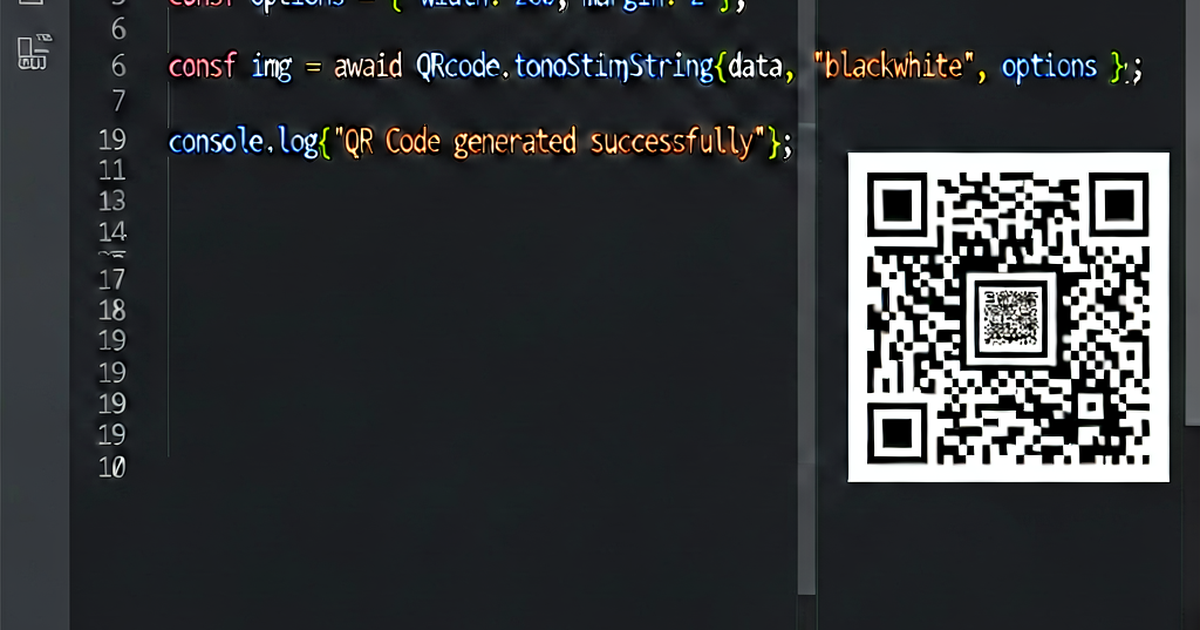
You can generate QR codes entirely in the browser using JavaScript — no server required. This guide covers the main libraries and patterns for embedding QR code generation in web pages.
Option 1: qrcode.js (vanilla JS)
qrcode.js is a simple, dependency-free library that works in any browser.
CDN setup:
<script src="https://cdn.jsdelivr.net/npm/qrcodejs/qrcode.min.js"></script>

<div id="qrcode"></div>

<script>
  new QRCode(document.getElementById("qrcode"), {
    text: "https://example.com",
    width: 256,
    height: 256,
    colorDark: "#000000",
    colorLight: "#ffffff",
    correctLevel: QRCode.CorrectLevel.M,
  });
</script>
Generate from input:
<input type="text" id="url-input" placeholder="Enter URL" />
<button id="generate-btn">Generate</button>
<div id="qrcode"></div>

<script src="https://cdn.jsdelivr.net/npm/qrcodejs/qrcode.min.js"></script>
<script>
  let qr = null;

  document.getElementById('generate-btn').addEventListener('click', () => {
    const text = document.getElementById('url-input').value.trim();
    if (!text) return;

    const container = document.getElementById('qrcode');
    container.innerHTML = '';  // clear previous

    qr = new QRCode(container, {
      text,
      width: 256,
      height: 256,
      correctLevel: QRCode.CorrectLevel.H,
    });
  });
</script>
Option 2: qrcode (Node.js / npm)
The qrcode npm package works in Node.js and in the browser via a bundler.
Install:
npm install qrcodeNode.js — generate PNG file:
const QRCode = require('qrcode');

// Write to file
await QRCode.toFile('qrcode.png', 'https://example.com', {
  errorCorrectionLevel: 'M',
  type: 'image/png',
  scale: 8,
});

// Get as data URL (for embedding in HTML)
const dataUrl = await QRCode.toDataURL('https://example.com');
// → "data:image/png;base64,..."

// Get as SVG string
const svg = await QRCode.toString('https://example.com', { type: 'svg' });

// Render to canvas (browser)
await QRCode.toCanvas(canvasElement, 'https://example.com');
Browser with bundler:
import QRCode from 'qrcode';

const canvas = document.getElementById('canvas');
await QRCode.toCanvas(canvas, 'https://example.com', {
  errorCorrectionLevel: 'H',
  color: {
    dark: '#000000',
    light: '#ffffff',
  },
});
Option 3: QRCode.react (React)
For React applications, qrcode.react renders QR codes as SVG or canvas:
npm install qrcode.reactimport { QRCodeSVG, QRCodeCanvas } from 'qrcode.react';
function QRDemo() {
return (
<div>
{/* SVG output (scales perfectly) */}
<QRCodeSVG
value="https://example.com"
size={256}
level="H"
includeMargin={true}
/>
{/* Canvas output */}
<QRCodeCanvas
value="https://example.com"
size={256}
level="M"
bgColor="#ffffff"
fgColor="#000000"
/>
</div>
);
}With logo in the center:
<QRCodeSVG
  value="https://example.com"
  size={256}
  level="H"
  imageSettings={{
    src: "/logo.png",
    x: undefined,
    y: undefined,
    height: 48,
    width: 48,
    excavate: true,  // clears modules under the logo
  }}
/>
WiFi QR code format
// WiFi QR code format string
function wifiQrString(ssid, password, security = 'WPA') {
  return `WIFI:T:${security};S:${ssid};P:${password};;`;
}

const qrText = wifiQrString('MyNetwork', 'MyPassword123', 'WPA');
// → "WIFI:T:WPA;S:MyNetwork;P:MyPassword123;;"
vCard QR code
function vCardString({ name, phone, email, url, company }) {
  return [
    'BEGIN:VCARD',
    'VERSION:3.0',
    `FN:${name}`,
    company ? `ORG:${company}` : '',
    phone ? `TEL:${phone}` : '',
    email ? `EMAIL:${email}` : '',
    url ? `URL:${url}` : '',
    'END:VCARD',
  ].filter(Boolean).join('\n');
}

const qrText = vCardString({
  name: 'Jane Smith',
  phone: '+15555551234',
  email: 'jane@example.com',
  url: 'https://janesmith.com',
  company: 'Acme Corp',
});
Download as PNG
function downloadQR(canvasElement, filename = 'qrcode.png') {
  const link = document.createElement('a');
  link.download = filename;
  link.href = canvasElement.toDataURL('image/png');
  link.click();
}

// Usage after generating to canvas
const canvas = document.getElementById('canvas');
await QRCode.toCanvas(canvas, 'https://example.com');
downloadQR(canvas);
Styling with CSS
The QR code is usually a canvas or SVG element — style the container:
.qr-container {
  display: inline-block;
  padding: 16px;
  background: white;
  border-radius: 12px;
  box-shadow: 0 2px 8px rgba(0, 0, 0, 0.15);
}

.qr-container canvas,
.qr-container svg {
  display: block;
}
Generate QR codes online at qrcodegen.io.

Related reading
-
How QR Codes Work: Encoding, Structure, and Error Correction
Learn how QR codes encode data: finder patterns, timing modules, data encoding modes, Reed-Solomon error correction, and why QR codes can be damaged and still scan.
-
QR Code Best Practices: Design, Size, Placement, and Testing
QR code design and usage best practices: minimum size, contrast, quiet zone, error correction, print vs digital, and how to test QR codes before publishing.
-
QR Code for Website: Link Any Page to a Scannable Code
Create a QR code for any website URL. Covers URL optimization, UTM tracking, landing page tips, size requirements, and how to embed QR codes in print and digital content.